 xPanoptes
Inventory
Devices, sites, groups and templates. Add a device by how it is watched (agent, SNMP, TCP port, web address or ping), import a list, or discover neighbours from a seed device. A setup checklist guides a new installation.
xPanoptes brings inventory, monitoring, alerts, topology, configuration backup, automation, predictions and intrusion detection into one platform for your whole team. It runs next to your devices, and no device change goes out without a second pair of eyes.
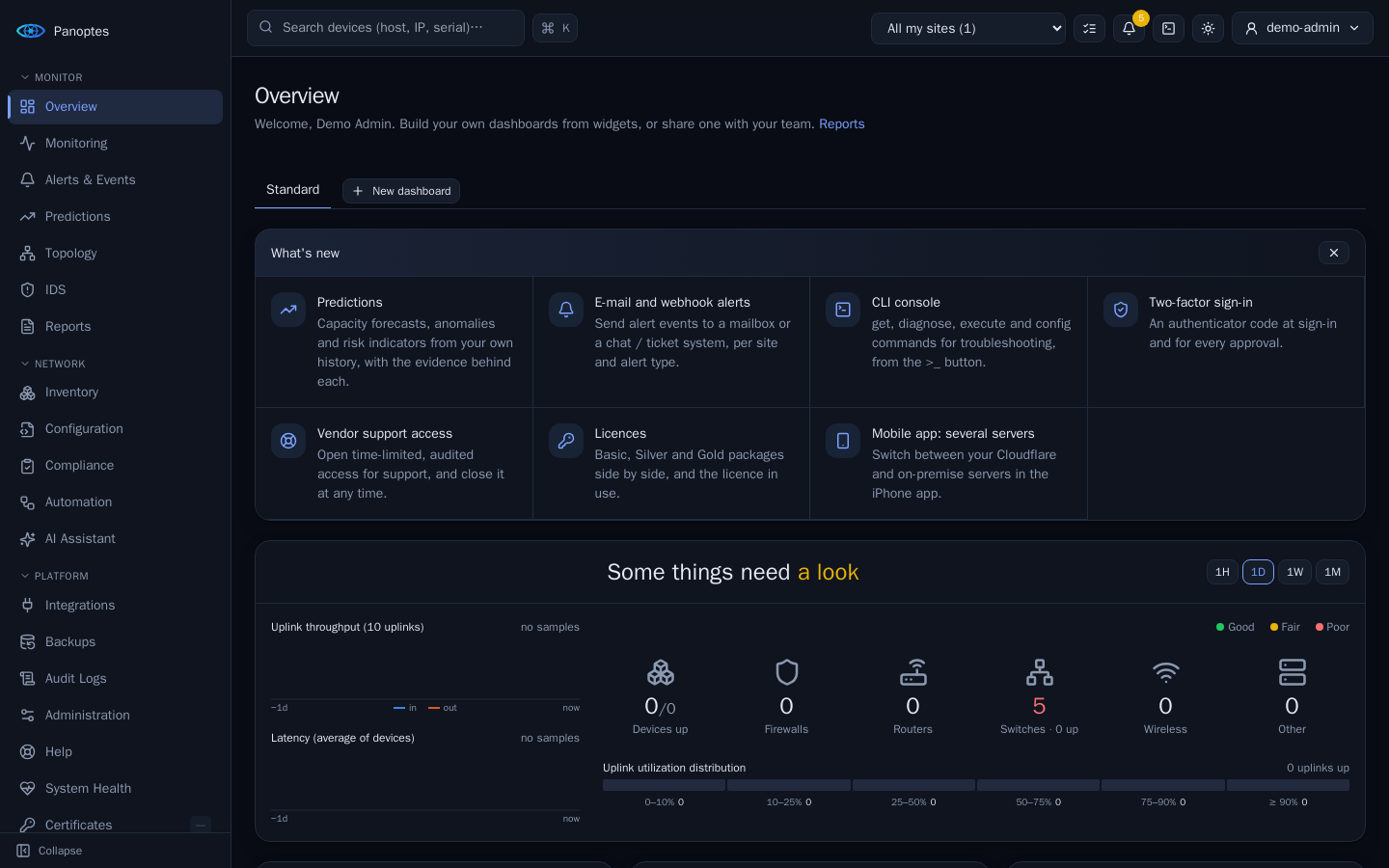
One web application and an iPhone app, for operators, engineers and administrators. Every data panel shows its source and time. Anything a device does not report is shown as unknown, never as healthy.
Devices, sites, groups and templates. Add a device by how it is watched (agent, SNMP, TCP port, web address or ping), import a list, or discover neighbours from a seed device. A setup checklist guides a new installation.
SNMP v2c / v3, ping, TCP port and HTTP(S) checks: CPU, memory, power, interfaces, BGP and OSPF, with history. Choose exactly which interfaces are watched. Availability per device type at a glance. Alerts by e-mail, webhook and push.
An LLDP / CDP topology map with an icon per device type, vendor and model from LLDP-MED or the MAC address, a type you can set by hand, and branches you can fold. A wall display, dashboards and searchable reports.
Configuration backups with diffs and change history, plus compliance rules checked against every device.
Software upgrades and campaigns in waves and maintenance windows, plus port fixes. Each change is approved by a second person.
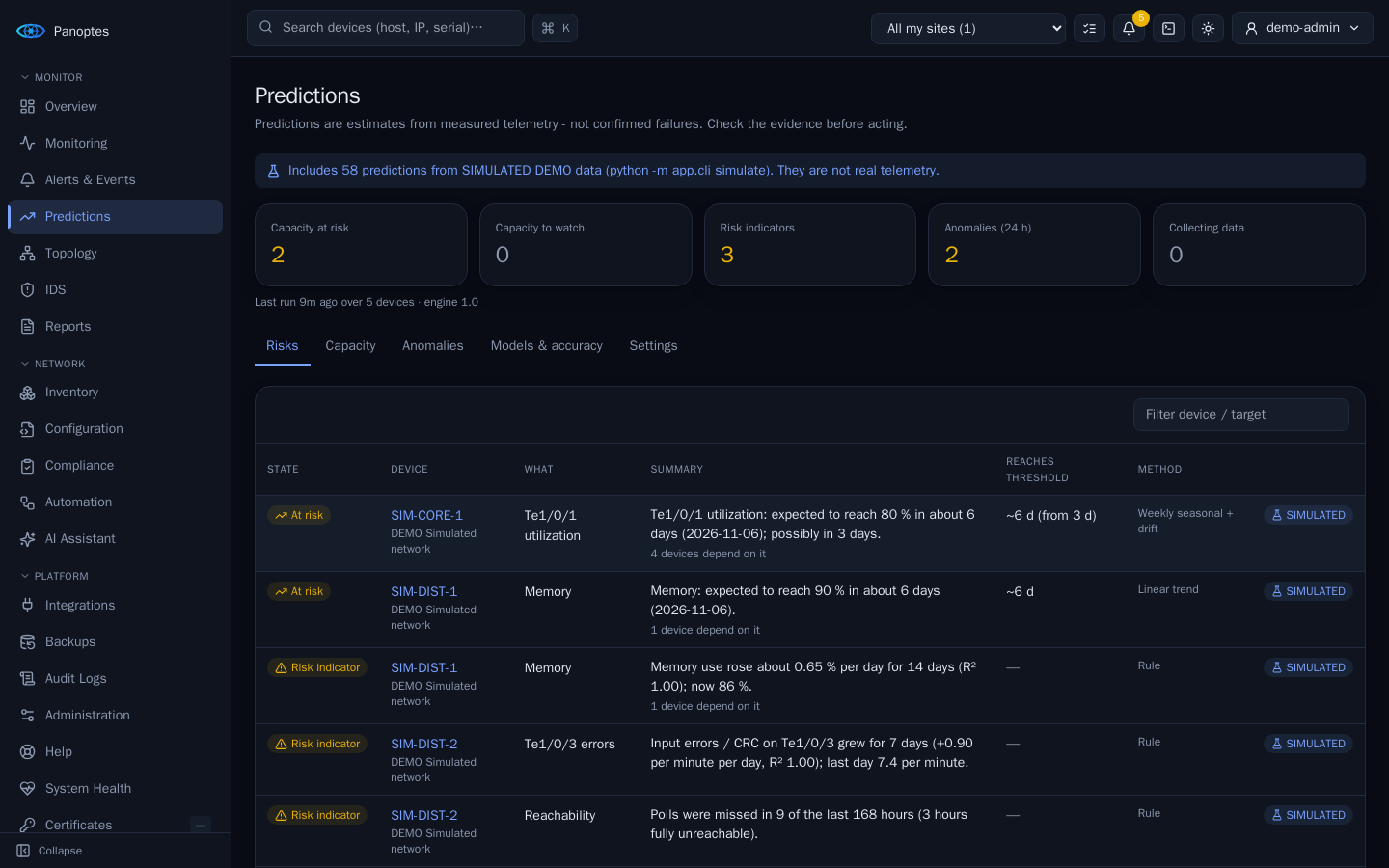
Capacity forecasts, anomalies and risk indicators such as memory leaks, each with its evidence and measured error.
IDS alerts from your sensors, mapped to inventory devices and sites and shown next to network alerts and on the topology.
Evidence first: facts, recent changes and rule-based findings, then a plan to contain, fix and verify. Ask AI answers questions about your network with each user's own permissions. Use Claude, ChatGPT, Gemini, DeepSeek, Mistral, Grok or your own model.
Open a device session from the topology or device page. Every session is recorded, and read-only sessions are checked line by line.
Device status, open alerts and push notifications. Approvers can review and approve requests from the phone, across several servers.
For Windows PCs and servers, Macs and Linux devices such as Raspberry Pi and OpenWrt. Installed with one command or an MSI, it reports health over outbound HTTPS with signed requests; Linux agents also send logs.
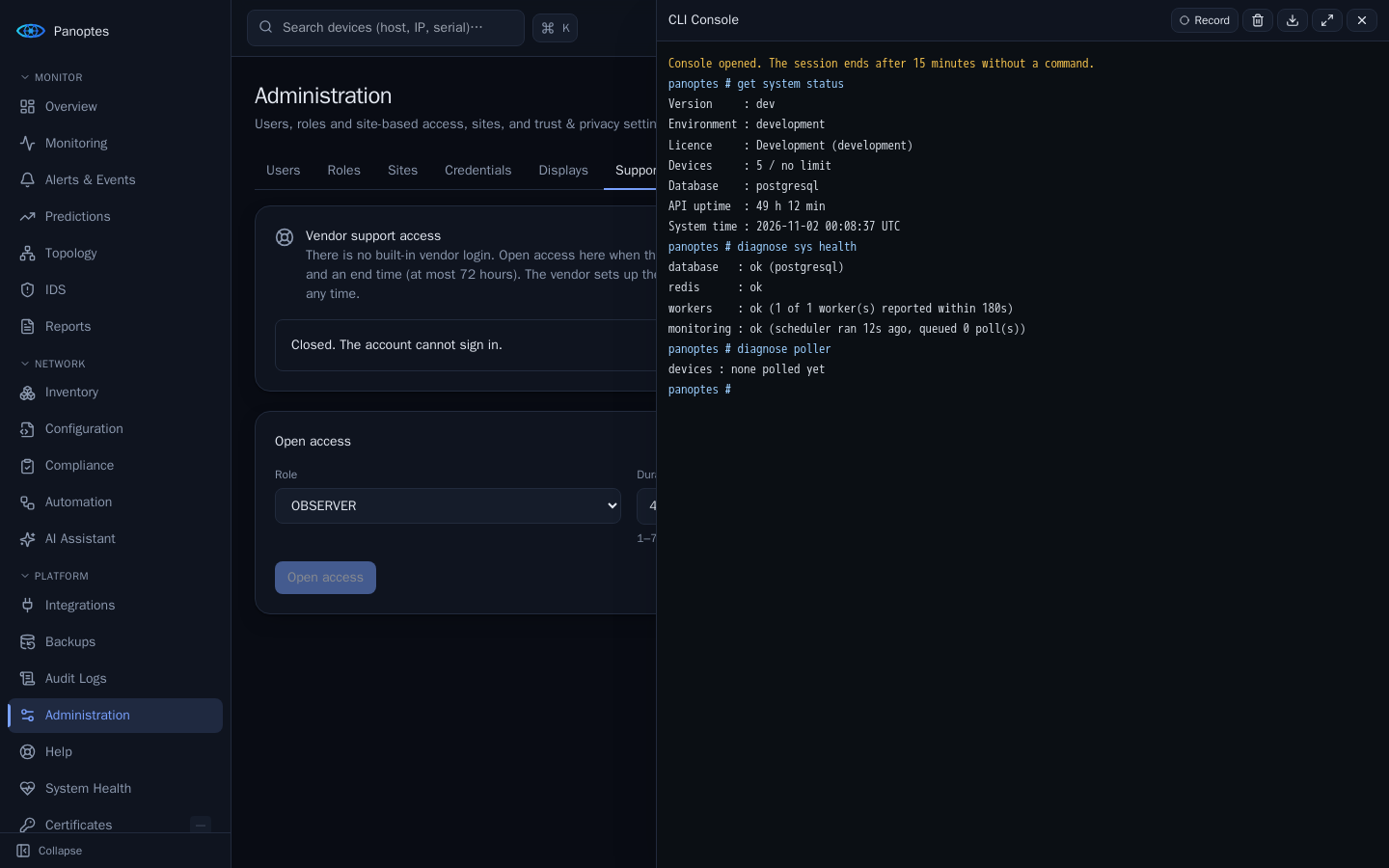
get, diagnose, execute and config commands for administrators, in a side panel. Only defined commands exist, it is never a shell, and every command is audited.
Cameras, door controllers, card readers, intercoms, sensors, printers and UPSs recognised from LLDP, with vendor, model and serial. Ping and service ports such as RTSP and MQTT are watched, with an alert when one stops answering.
A small collector in each customer network for a server that runs elsewhere. Outbound HTTPS only, credentials never stored on it; it polls, forwards syslog and runs backups and terminals.
New versions are offered in the application, checked against a signature and installed only after an administrator approves, in your maintenance window, without downtime.
Who did what, when and from where, as a timeline in plain sentences: sign-ins, changes with old and new values, approvals and terminal sessions.
xPanoptes learns from the history it measures. It shows when a link or device will reach its threshold, what is unusual for this hour, and which devices depend on it. An estimate is never presented as a confirmed failure.
The CLI console opens next to any page. Use it for system status, queues, database, poller, ping and DNS tests, and settings in config mode. Opening it takes your password and an authenticator code.
Upgrades, port fixes, IDS rule updates and configuration deployments are requested, approved and run as tracked jobs. By default, nobody can approve their own request.
Polling needs your private network, so xPanoptes runs on a Linux server inside it. Keep it internal, or publish it to your users and phones through a Cloudflare Tunnel without opening a port.
Installed from release images, with no source code or build tools. A built-in calculator recommends CPU, memory and disk for your number of devices.
With a Cloudflare Tunnel and Cloudflare Access in front, the server opens no port to the internet. You can also use your own HTTPS proxy, or stay internal.
Rolling updates replace containers one by one after an automatic backup. Database migrations are backward compatible, so the running version keeps working.
Release manifests are signed by the vendor and checked twice before images are pulled by digest. Approving an update needs a password and an authenticator code.
Permissions are checked on the server for every request. Changes are recorded, and the AI explains but never acts.
Built-in and custom roles, granted per site. Users see only the devices of their own sites.
Authenticator codes at sign-in and again for every approval. Recovery codes are included, and accounts lock after repeated failures.
Device changes from automation, fixes and deployments wait for a second person. Self-approval is off by default.
Every change and every denied attempt, with user, address and time. The application never edits or deletes an entry.
Full browser SSH sessions are for Super Admins only, and everyone else gets read-only ones. Every session is recorded, and opening one takes your password and an authenticator code.
The AI explains and suggests. It receives facts, never configurations or passwords, and the platform never sends its text to a device.
Start with monitoring, add configuration backup and predictions, or take everything including automation, IDS and the AI assistant. Every installation starts with a 30-day trial of all features.
Up to 50 devices. Inventory, monitoring, alerts, topology, dashboards, roles, two-factor sign-in and the mobile app.
Up to 500 devices. Adds configuration backup and compliance, predictions, the xPanoptes Agent, webhooks and integrations.
Device count set in the licence. Adds automation, IDS, the AI assistant, agent configuration deployment and DNS security.
No. xPanoptes runs on your own Linux server, next to your devices. Polling, configurations and history stay on that server. If you want access from outside the office, you can publish it through your own Cloudflare Tunnel or HTTPS proxy.
Any device that answers SNMP v2c / v3, ping, a TCP port or a web address can be monitored. Windows PCs and servers, Macs and Linux devices can run the xPanoptes Agent. Configuration backup and software upgrades depend on the device platform. Tell us your device types and we will tell you what is supported.
No. The AI assistant only explains likely causes and suggests next steps. It receives the facts xPanoptes has collected, never configurations or passwords. The platform never sends AI text to a device. Port fixes are separate actions that a person requests and a second person approves. The AI is optional: your administrator turns it on and chooses the provider (Claude, ChatGPT, Gemini, DeepSeek, Mistral, Grok or an OpenAI-compatible model you host yourself) with your organisation's own key.
Yes. Without a licence, a new installation runs a 30-day trial with every feature for up to 25 devices. After that it continues on Basic.
An expired licence keeps working for a 14-day grace period, then falls back to Basic. Nothing is deleted. A module outside the licence stays readable, and only its changes and background work stop.
Normal updates are rolling. The API and workers are replaced one by one while the platform keeps serving. The web front end restarts for about a second, and only when its content changed. Major PostgreSQL or Redis version upgrades are the exception and need a planned window.
No. Licences are signed files that are checked offline. Update checks use HTTPS, and offline update packages are supported. Telemetry is off by default.
Tell us about your devices and sites, and we will arrange a demo and a quote.